Media Session API
The Media Session API allows developers to create custom media notifications for audio or video content on the web. The API includes action handlers that browsers can use to access media control on keyboards, headsets, and the software controls on a device's notification area and lock screens. The Media Session API empowers users to know and control what's playing on a web page without needing to be actively viewing said page.
When a page plays audio or video content, users get a media notification that appears in their mobile device's notification tray or on their desktop's media hub. Browsers will try to show a title and an icon, but the Media Session API allows the notification to be customized with rich media metadata, such as the title, artist name, album name, and album artwork.
Media Session Example
1
2
3
4
5
6
7
8
9
10
11
12
13
14
15
16
17
18
export default function MediaSession() {
  const onPlay = () => {
    navigator.mediaSession.metadata = new MediaMetadata({
      title: "Risk",
      artist: "StudioKolomna",
      album: "Risk",
      artwork: [
        {
          src: "/risk-album-cover.webp",
          sizes: "200x200",
          type: "image/webp",
        },
      ],
    });
  };

  return <audio onPlay={onPlay} controls src="/risk-studiokolomna.mp3" />;
}
Usage
The Media Session API was not measured in 2021. In 2022, its first year of tracking, the API was used on 8.37% of desktop pages and 7.41% of mobile pages, making it the fourth most used capability on desktop and mobile.
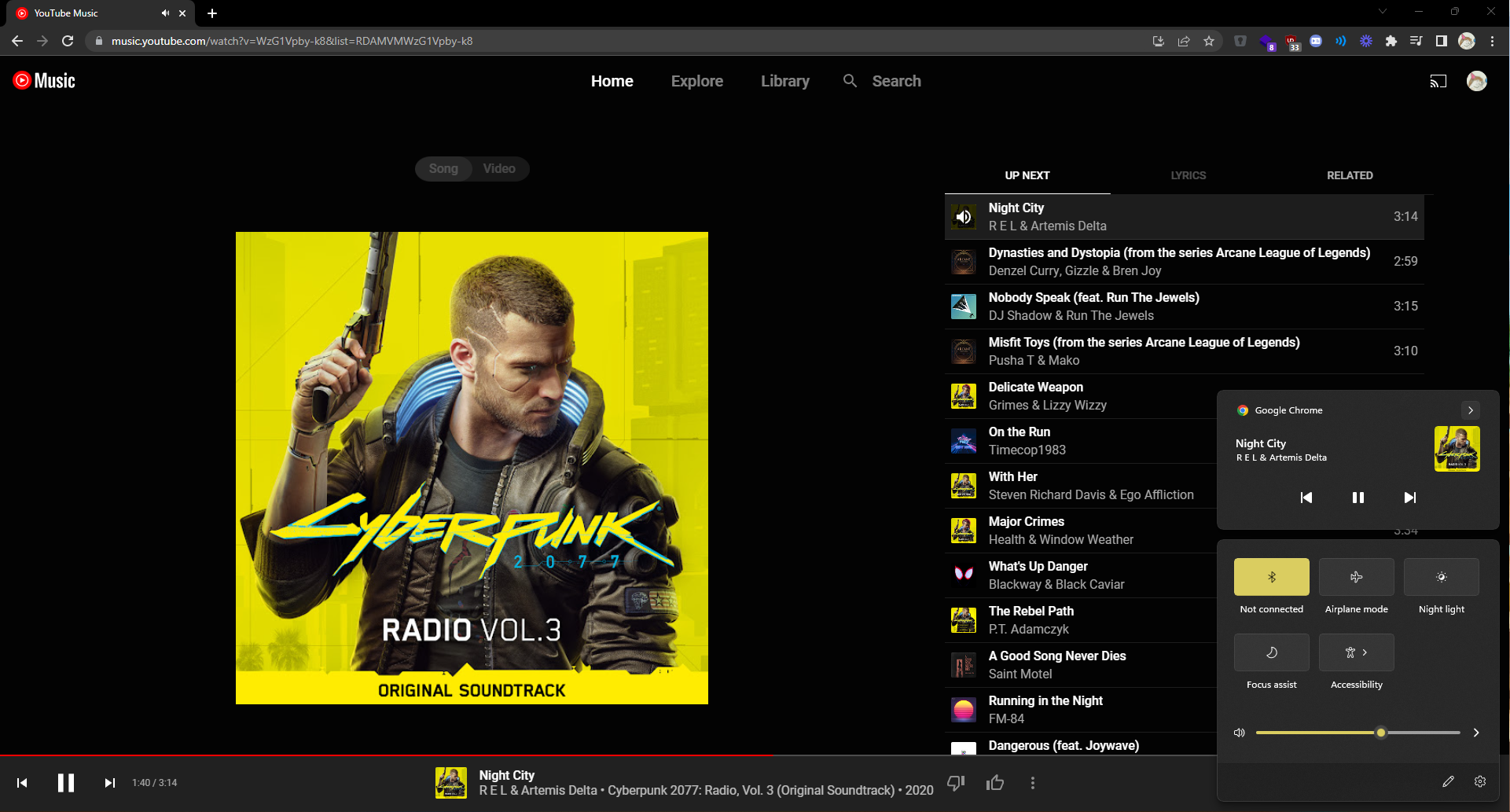
Web applications such as YouTube, YouTube Music, Spotify, and others take advantage of the Media Session API and provide rich controls for the video or audio played.
Description of Figure 1
Accessing controls and information for YouTube Music via the Window's Taskbar.